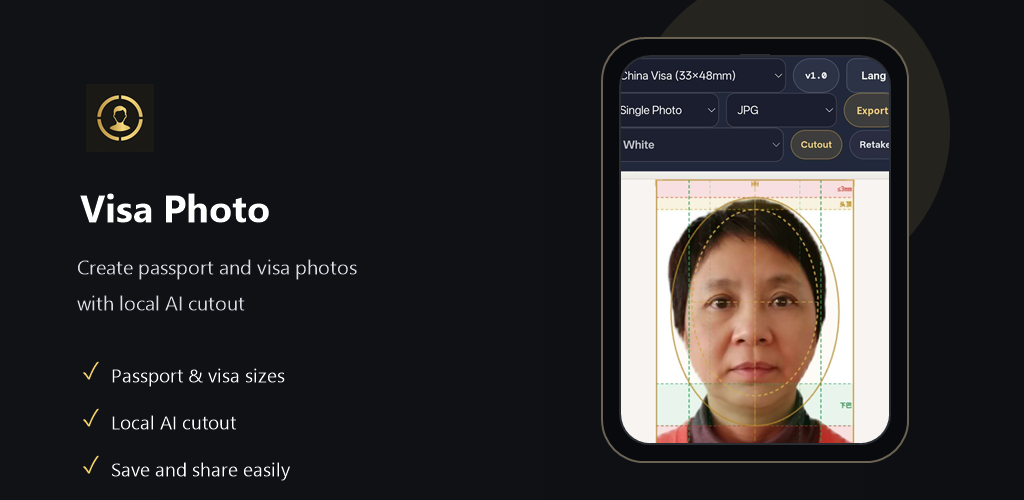
Make passport, visa and ID photos that meet official requirements — entirely in your browser. Your photo never leaves your device.
No sign-up · No server upload · JPG and PNG export
Built to match published size and background requirements for supported documents. Final acceptance is always determined by the issuing authority.
Taken at home with uneven light and a casual background.
Choose the right passport, visa, or ID format, then export a clean photo or print sheet with the correct size requirements.
Local processing keeps your photo on your device while you format it for supported document types.
Features
All processing happens in your browser. Your photos are never uploaded to any server.
Remove and replace backgrounds instantly. Get the clean white or light blue background required by most countries.
Built-in presets for passports, visas, and ID cards from China, US, UK, Australia and more.
Download single photos or a print sheet with multiple copies. JPG and PNG supported.
Choose a supported country and document type to apply the right dimensions, background guidance, and export layout.
How it works
Select from passport, visa, or ID card. Pick your country to load the exact size requirements automatically.
Take or upload a portrait photo. The tool will remove the background, crop to the correct size, and adjust the framing.
Export a single image or a printable sheet. Bring to any photo print shop or print at home.
VisaPics runs entirely in your browser using local processing. We have no server, no account system, and no way to access your photos — because they never leave your device. What you see is what you get.
Open the app, choose your country and document type, and create a passport, visa, or ID photo without uploading anything to a server.
Start in browserNo sign-up · Local processing · Final acceptance depends on the issuing authority
Support
If it saved you time or money, consider buying me a coffee. It keeps the project alive.
Buy me a coffee